Shelf-centered packdown
is most effectively employed when the overstocked
storage for the shelves being restocked are located
one or more aisles away from where they are displayed.
The shelf-centered packdown process uses two or three routines (depending
on how many bays/items are being scanned).
The first routine is run from a personal cell phone and requires the user
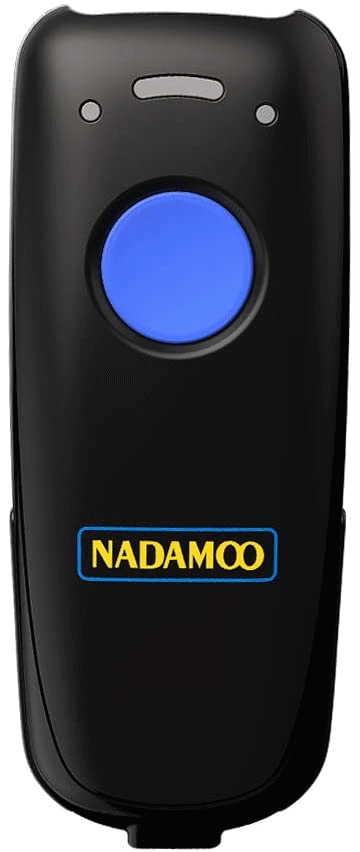
to connect their phone to a Bluetooth® hand scanner such as the Nadamoo.
Nadamoo BUR3076 Hand Scanner
Connect the users cell phone to the hand scanner.
Open the "Light Cloud Restocking Lister" program on the phone and
be sure the cursor is in the "Input:" field.
Aim the Nadamoo hand scanner at each item that more product on
the shelf to be considered full. Press the button once for every
item needed to fill the shelf.
For example, if a particular facing can hold four more items,
you simply scan the price label four times.
Once all the facings which require more stock have been
scanned, the "Save List" button is been pressed which
allows the list to be accessed in the future.
The second step begins by the user going to any local computer with printer access
and opening the next routine via the internet.
Click on the "Restocking Worksheet Selector" link
Select the session of interest according to the time
stamp of when the program was saved
Print the resulting numerically-ordered SKU listing
to any local printer
Use the resulting printed page(s) to record the quantity
and location in the overhead of any items found in the overhead.
If more than five or six items are found from step 2, the next program
can be used to make the retrieving of the overstock easier.
At any local computer open the "Restocking Worksheet Consolidator"
Enter aisle, bay and quantities from the worksheet into their corresponding
slots on the form
When all the items are entered click the "Submit" button
The resulting list shows all the items to be retrieved arranged
by aisle and bay. This list can be sent to any local printer.
Overhead-centered packdown
worksheets are used for overhead inventory that is
located within the same aisle that it is displayed. In this case, the hand
scanner is used to record the items in one or more overheads by first scanning
the bay code sticker for a bay and then scanning the contents of the overhead.
The overhead content can be identified by SKU codes, UPCs, or entered
manually. When a scan of one or more bays is finished and saved its results can be printed out from
any local printer. Each item on the printed list will have an accompanying barcode
that can be scanned by a First Phone to ascertain a products need to be restocked.